This free vision board maker builds a board from watercolor illustrations in a few taps. Choose up to six areas of life, tap any tile to swap its picture, edit its caption or drop in your own photo, then save the board as a phone wallpaper or a desktop background.
How to use this vision board maker
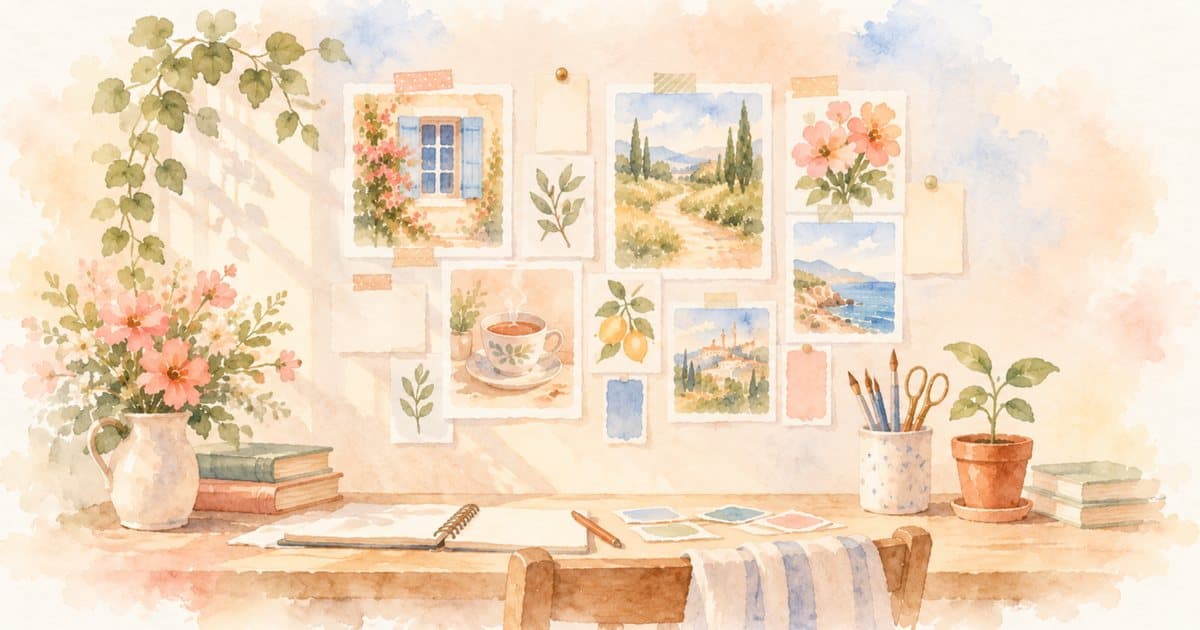
This free vision board maker turns a few areas of life into a phone or desktop background. Choose up to six chips; three to five is a good start. The board fills with watercolor-style illustrations made for MurMur, each with a short caption. Nothing on the board predicts what will happen. It is a visual note about what you would like to notice or move toward.
Tap any tile when it does not feel right. You can swap its picture, edit the caption, or add a photo of your own. Shuffle rearranges the tiles and suggests new pictures and captions, but keeps any caption you wrote yourself and any photo you added. The title begins as “2027,” but you can replace it with another year, a season, a birthday-to-birthday period, or a few words that make sense to you.
When the arrangement feels finished, choose Save as image. The online vision board maker downloads a JPG image on a computer. On a phone, it opens the share sheet. There is no sign-up, account, or AI image generation. The art and starting captions are already part of the tool.
If you want a longer reflection before you begin, the 2027 vision board guide has prompts for looking back, deciding what belongs, and spotting goals you may have borrowed from somebody else. This page stays with the practical work of using the maker.
Choosing areas and pictures that feel like yours
Three to six areas makes a varied board without turning every part of life into a project. You might choose Home, Friendship, and Learning because they need attention now. You do not need to select Work, Money, or Love because they appear on other people’s boards.
Begin with a feeling, then use the picture as evidence of an ordinary moment that could carry it. “Rested and unhurried” might look like one lamp on beside a book. “Close and easy” might look like two cups waiting on a table. These images leave more routes open than a single status symbol or perfect final scene.
When a tile feels generic, tap it. Swap the watercolor or write a caption in your own language. “Saturday breakfast at home” may mean more than a polished slogan. The tool is a vision board creator, not an authority on what you should want.
It can also help to notice your body’s ordinary response. Does a tile make you curious, settled, or ready to take a step? Or does it make you compare, hurry, and feel behind? Keep the first kind. Change or remove the second. For more examples and the boundaries MurMur uses, see the vision board glossary entry and the fuller ideas guide.
Phone wallpaper or desktop: picking a vision board template
The maker has two formats. Phone wallpaper is a tall 9:16 vision board template. Desktop is a wide 16:9 template. Both use the same kind of tiles; choose where you are most likely to see the finished board.
Choose phone wallpaper if you want the board close at hand or mostly use a phone. A vision board wallpaper can be visible many times a day, so readable simplicity matters. Use fewer words, check that the title feels calm rather than demanding, and leave out any private photo you would not want noticed over your shoulder.
Choose desktop if you spend more time at a laptop or want a wider arrangement. Before saving, look over the placement and captions at the size you chose. A wide board has more room across the screen; a tall one needs each tile to work at a glance.
A digital vision board is easy to revise. If your plans change in spring, you can return and make a new board rather than treating January’s version as a contract. Shuffle if the pictures need fresh energy, then tap individual tiles when you want a deliberate change. If you are looking for bingo squares, words, or a paper-board approach, those belong to the separate 2027 format guide.
Adding your own photos to the vision board creator
You can add your own photo to any tile. Tap the tile, choose the photo option, and select an image. It is placed into the board inside your browser and never uploaded. You can use a familiar corner, a place you walked, or your sketchbook without sending the original file to MurMur.
Your finished image is still a new file on your device, so privacy does not end at the browser. Think about backups, shared photo libraries, visible lock screens, and where you send the image. For a relationship area, a symbolic scene may be more private and more respectful than another person’s face. A picture can hold a wish for closeness without turning a particular person into a goal.
There is no AI vision board generator creating or interpreting these photos. The tool does not analyze a face, infer what an image means, or offer advice from it. Your own meaning is the point. If you would rather not use personal pictures, every tile can stay with MurMur’s watercolor artwork.
What to do after you save your digital vision board
Put the image somewhere you will meet it naturally: as wallpaper, a desktop background, or a print. Then choose one small action for each area. If Home says “a clear table,” the first step might be putting away the mail tonight.
Keep the action close enough to do, and attach it to a real moment. “If I finish dinner on Tuesday, then I clear the table for ten minutes” is an implementation intention. It does not guarantee a result. It simply gives a chosen action a cue.
The one-plan-per-area section of the 2027 guide shows how to connect a picture with an obstacle and a plan. For the full distinction between pleasant imagining and planning around what may get in the way, read mental contrasting versus manifestation. Those pages own the planning method; the vision board maker gives you the image you can return to.
You can pair the board with words if that helps. The affirmation generator offers gentle, editable lines, while the journal prompt generator gives you a question to write from. Neither practice needs to become a daily test. A useful board can be changed, ignored for a week, or retired when it no longer fits.
Do vision boards work?
A vision board does not make events happen. At most, it can keep a direction visible and give you a prompt to act. Research on imagining the future also suggests a reason not to stop at a satisfying final picture.
In Oettingen and Mayer’s 2002 paper, positive expectations, meaning judgments that a desired future was likely, predicted greater effort and more successful performance. Positive fantasies, meaning enjoyable thoughts and images of a desired future, predicted the reverse. The four studies involved job seekers, students thinking about a crush, students anticipating an exam, and patients awaiting hip-replacement surgery. This was not a study of vision boards, so it cannot tell us whether this tool improves outcomes.
A 1999 experiment by Pham and Taylor came closer to the question of what to picture. For five to seven days before a midterm, college freshmen imagined either the process of doing well, the desired grade, both, or used self-monitoring. Process simulation improved studying and grades; the grade effect was linked with better planning and less anxiety. Again, the study tested a guided exercise, not a vision board generator.
The modest lesson is to include the life around an outcome. A closed laptop can stand for finishing work at a reasonable hour. Walking shoes can suggest the walk itself. After the board is saved, one small scheduled step matters more than finding a perfect picture. If life does not follow the board, that is not evidence that you failed to believe, visualize, or arrange it correctly.
Vision board maker FAQ
Is this vision board maker free?
Yes. It is free, with no sign-up or account. You can change pictures and captions, add your own photos, shuffle the layout, and save the board as an image.
Are my photos uploaded?
No. Your photo is placed into the board inside your browser and is never uploaded. If it is private, be thoughtful about where you save or share the finished image.
Can I use it on my phone?
Yes. Choose the phone wallpaper format for a 9:16 board. When you tap Save as image, the share sheet opens so you can save or share the image.
What size is the image?
The phone wallpaper is 1080 × 1920 pixels (9:16), and the desktop format is 1920 × 1080 pixels (16:9). Those shapes are designed for tall phone screens and wide computer screens. The downloaded file is a high-quality JPG.
Can I print it?
Yes. Download the image and print it from your device or send it to a print shop. Phone and desktop boards have screen-shaped proportions, so choose fit-to-page if you want the whole board visible and expect some blank space on standard paper.
Written by Jess (psychology). Sources: G. Oettingen and D. Mayer (2002), “The motivating function of thinking about the future: Expectations versus fantasies,” Journal of Personality and Social Psychology 83, no. 5, 1198–1212; L. B. Pham and S. E. Taylor (1999), “From thought to action: Effects of process- versus outcome-based mental simulations on performance,” Personality and Social Psychology Bulletin 25, no. 2, 250–260. These papers were verified from their abstracts and publisher or index records. Neither paper tested vision boards.